Must select Contact associated with Household
After merging two contacts in Salesforce, a recurring donation may lose its correct account association. When MoveData tries to update that recurring donation, NPSP rejects the change because the account is no longer valid.
Error message#
You may see this error in your execution log:
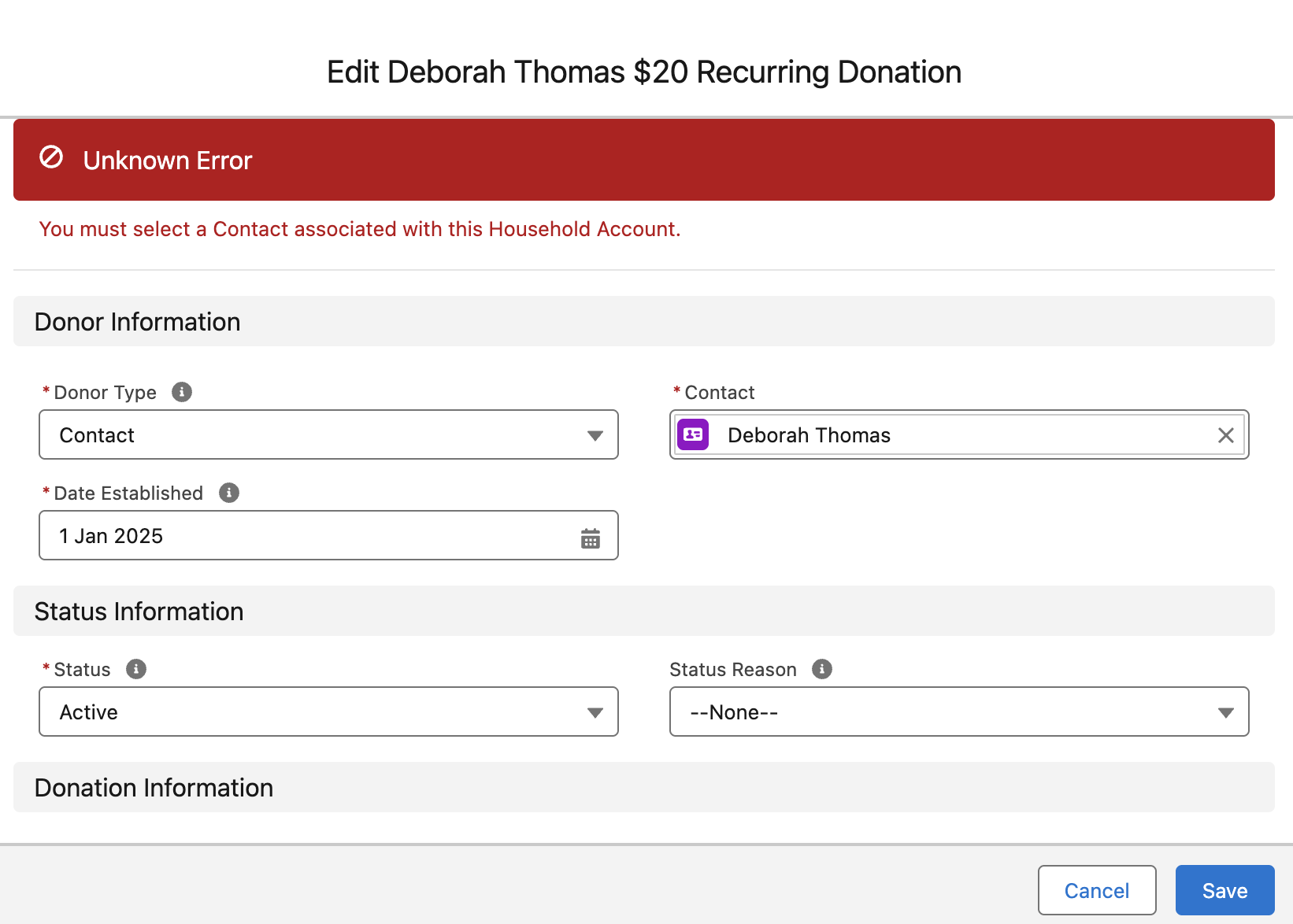
You must select a Contact associated with this Household Account
For help finding this error, see Reading and understanding error messages.
Why this happens#
When you merge two contacts in Salesforce, the surviving contact keeps its account. However, the recurring donation that belonged to the deleted contact may end up with an "Anonymous" household account.
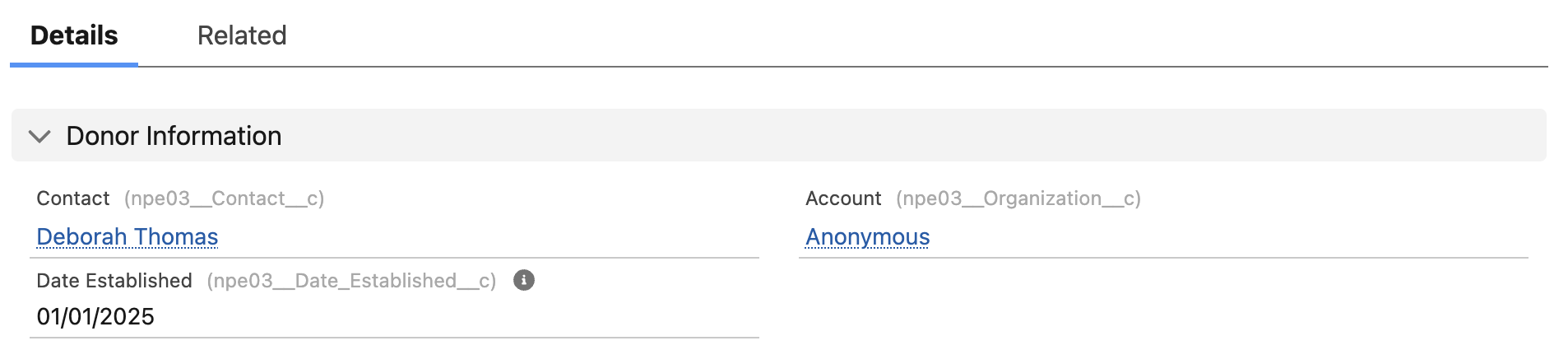
This is a Salesforce data integrity issue — not a MoveData bug. You can confirm the problem by opening the recurring donation in Salesforce and clicking Save without making any changes. Salesforce produces the same error.
How to fix it#
The fix involves temporarily changing opportunity stages so NPSP allows the account update.
- Open the recurring donation record in Salesforce.
- Find the child opportunities with a stage of Closed Won and change each to a non-closed stage (for example, Pledged).
- Update the Account field on the recurring donation to the correct household account.
- Change the child opportunities back to Closed Won.
- Reprocess the notification in MoveData.
After fixing the issue#
After reprocessing:
- Open the notification in the MoveData app.
- Confirm the status shows Success.
- Open the recurring donation in Salesforce and verify the Account and Contact fields are correct.
For more on reprocessing, see How to reprocess failed notifications.
Preventing this in future#
This error typically follows a contact merge. When merging contacts that own recurring donations, check the surviving record's account association immediately after the merge.