Permission sets
MoveData uses Salesforce permission sets to control who can access the application and its features. You assign these permission sets through Salesforce Setup, just like any other permission set in your org.
This article explains the permission sets MoveData provides, how to assign them, and how to resolve common permission issues.
Quick check
If you can open MoveData from the App Launcher and successfully process notifications, your permissions are already configured correctly. You do not need to make any changes.
Understanding MoveData permission sets#
MoveData permission sets fall into two categories:
- Application permissions — core access to the MoveData Lightning app, its tabs, and its objects.
- Extension permissions — access to the objects and features provided by each MoveData extension you install.
Every user who needs to interact with MoveData requires the application permission set. Users who work with extension-specific features (such as NPSP or Nonprofit Cloud record types) also need the corresponding extension permission set.
The MoveData Authorised User needs both the application permission set and every extension permission set installed in your org.
Assign the application permission set#
The MoveData Application permission set grants:
- Visibility of the MoveData app in the App Launcher.
- Basic object access for core MoveData objects (notifications, integrations, execution logs).
- Navigation rights to MoveData tabs.
To assign it:
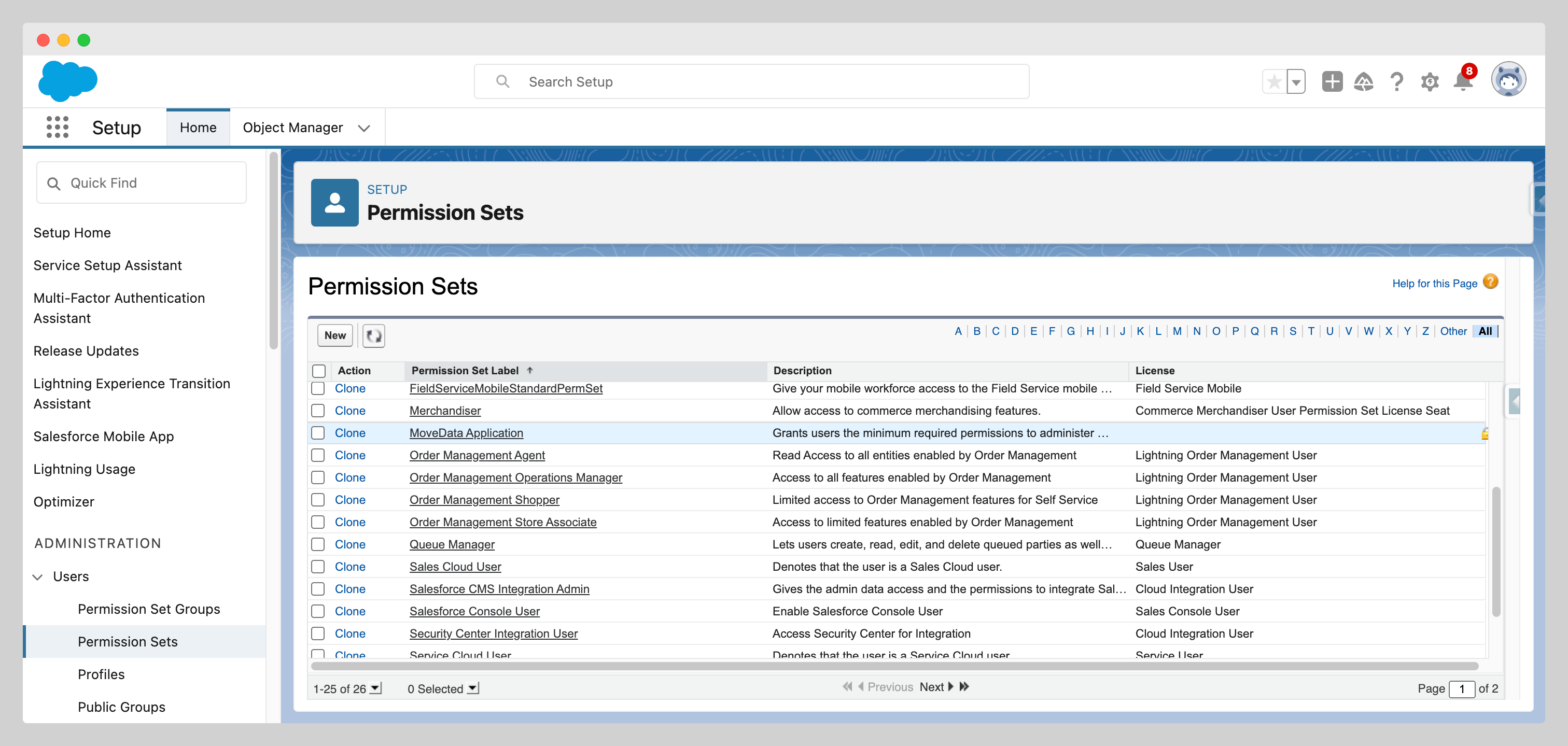
- Navigate to Setup > Users > Permission Sets.
- Click MoveData Application.
- Click Manage Assignments.
- Click Add Assignments.
- Select the users who need access to MoveData.
- Click Assign.
Note
Assign this permission set to every user who needs to view or manage MoveData — not just the Authorised User.
Assign extension permission sets#
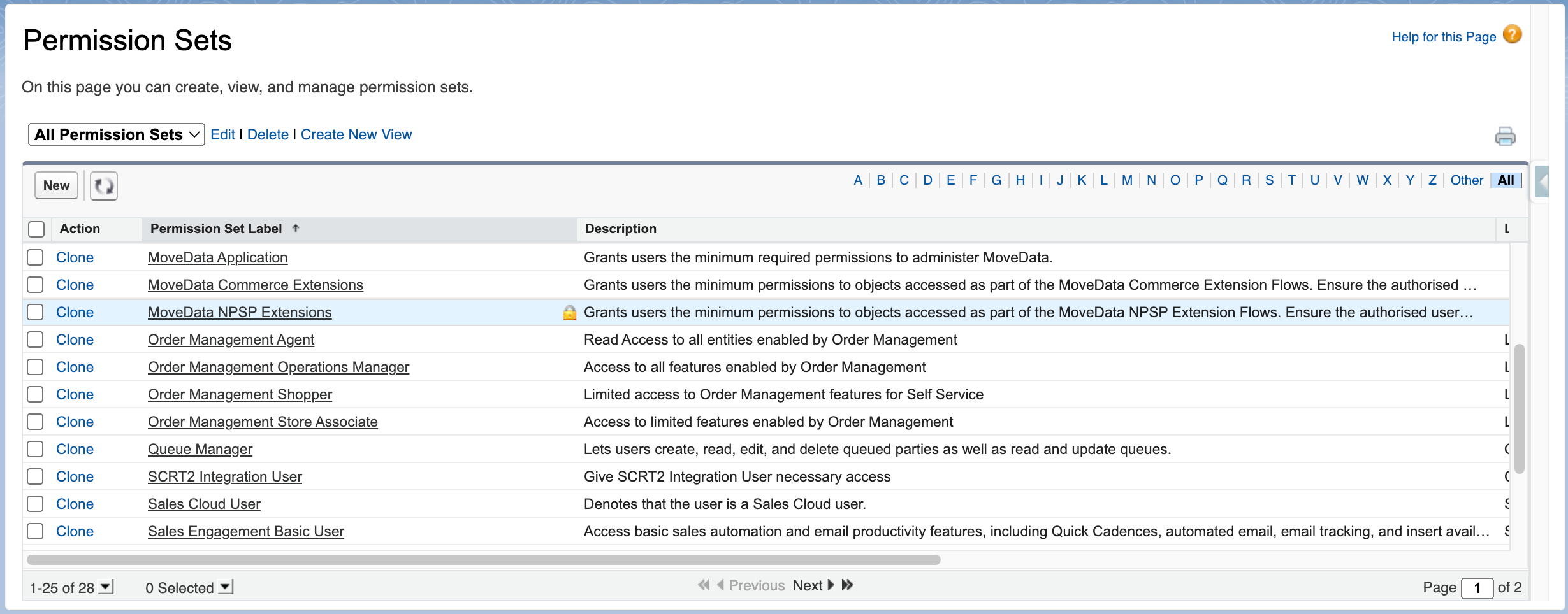
When you install a MoveData extension, Salesforce automatically creates an additional permission set for that extension. MoveData provides the following extension permission sets:
| Extension | Permission set name |
|---|---|
| NPSP Fundraising & Donations | MoveData NPSP Extensions |
| Nonprofit Cloud Fundraising & Donations | MoveData Nonprofit Cloud Extensions |
| Commerce | MoveData Commerce Extensions |
To assign an extension permission set:
- Navigate to Setup > Users > Permission Sets.
- Find the extension permission set (it begins with "MoveData").
- Click the permission set name to open it.
- Click Manage Assignments.
- Click Add Assignments.
- Select the users who need access, including the MoveData Authorised User.
- Click Assign.
Repeat these steps for each extension installed in your org.
Warning
The MoveData Authorised User must be assigned to every extension permission set. If the Authorised User is missing an extension permission set, integrations that rely on that extension will fail with permission errors during processing.
For more information on extensions, see Understanding extensions.
Common permission issues#
MoveData is not visible in the App Launcher
The user has not been assigned the MoveData Application permission set. Follow the steps in Assign the application permission set to resolve this.
Integration processing errors related to permissions
The MoveData Authorised User is missing one or more extension permission sets. Check that the Authorised User has been assigned every extension permission set installed in your org.
See Reading and understanding error messages for help interpreting error details.
Insufficient object permissions
Users may lack access to underlying Salesforce objects that MoveData interacts with, such as Contacts, Opportunities, or Campaigns. MoveData permission sets grant access to MoveData-specific objects only. Standard and custom Salesforce object permissions are controlled by the user's profile and any other permission sets assigned in your org.
If a user can open MoveData but cannot view certain records, check their Salesforce profile and permission sets for the relevant object access.
Other resources#
- The MoveData Authorised User — understand the user account MoveData uses for all record operations.
- Managing MoveData settings — configure authorisation, error notifications, and logging.
- Understanding extensions — learn what each MoveData extension provides.