Missing contact last name
This article explains why the "Required fields are missing: [LastName]" error occurs when processing Raisely donations through MoveData, and how to resolve it.
The Error#
You may see the following error in the MoveData Notifications tab:
REQUIRED_FIELD_MISSING, Required fields are missing: [LastName]
Why This Happens#
In Raisely, you can configure your donation and registration forms to make First Name and Last Name fields either mandatory or optional. When these fields are set to optional, donors can complete a donation by entering only an email address, without providing their name.
Salesforce requires the Last Name field on every Contact record. When MoveData receives a donation from Raisely where the donor has not provided a last name, it cannot create or update the Contact in Salesforce, and the error above is returned.
How to Fix It#
Option 1: Make Name Fields Mandatory in Raisely#
This prevents the issue from occurring on future donations.
- Log in to Raisely and open the campaign experiencing the error.
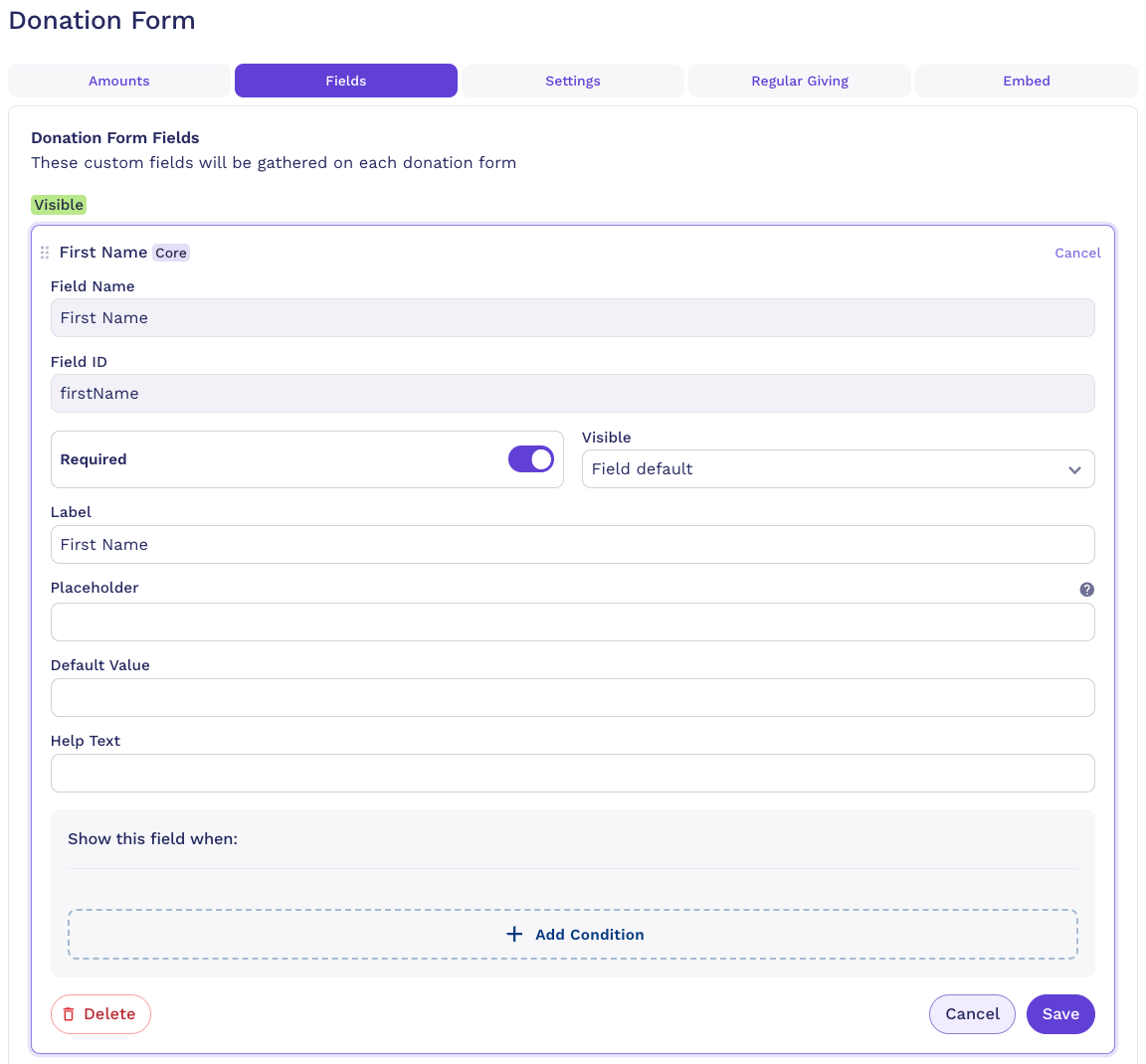
- Navigate to Campaign Settings > Donation Form (or the relevant form type).
- Find the First Name and Last Name fields.
- Set both fields to Required / Mandatory.
- Click Save.
- Repeat for any other forms in your campaign (registration forms, fundraiser sign-up forms, etc.).
Option 2: Correct name data on existing donations#
If donations have already been received without a name, you can correct the data in Raisely:
- In Raisely, open the donation that caused the error and click through to the donor's person record.
- Add or update the donor's First Name and Last Name on the person record and click Save.
- Return to the donation record, click Edit, then click Save to trigger a new notification to MoveData.
MoveData reprocesses the notification with the updated name information and creates or updates the Contact in Salesforce.