Flow variable reference
A flow context variable is a special variable that MoveData passes into a flow to inform the workflow of the specific context that is executing. Unlike flow commands, context variables are read-only inputs that you use to make decisions within your flow logic.
Variable summary#
| Variable | Type | Available in | Purpose |
|---|---|---|---|
DuplicateCheck |
Boolean | Mapping flows during the record match action (Contact, Account phases) | Indicates whether the mapping flow is running as part of Salesforce duplicate detection rather than the standard mapping action. |
IsActor |
Boolean | All flows that process a person record (Contact) | Indicates whether the person currently being processed is the primary contact for the notification. |
DuplicateCheck#
| Diagram | Flow | Flow Detail |
|---|---|---|
 |
 |
  |
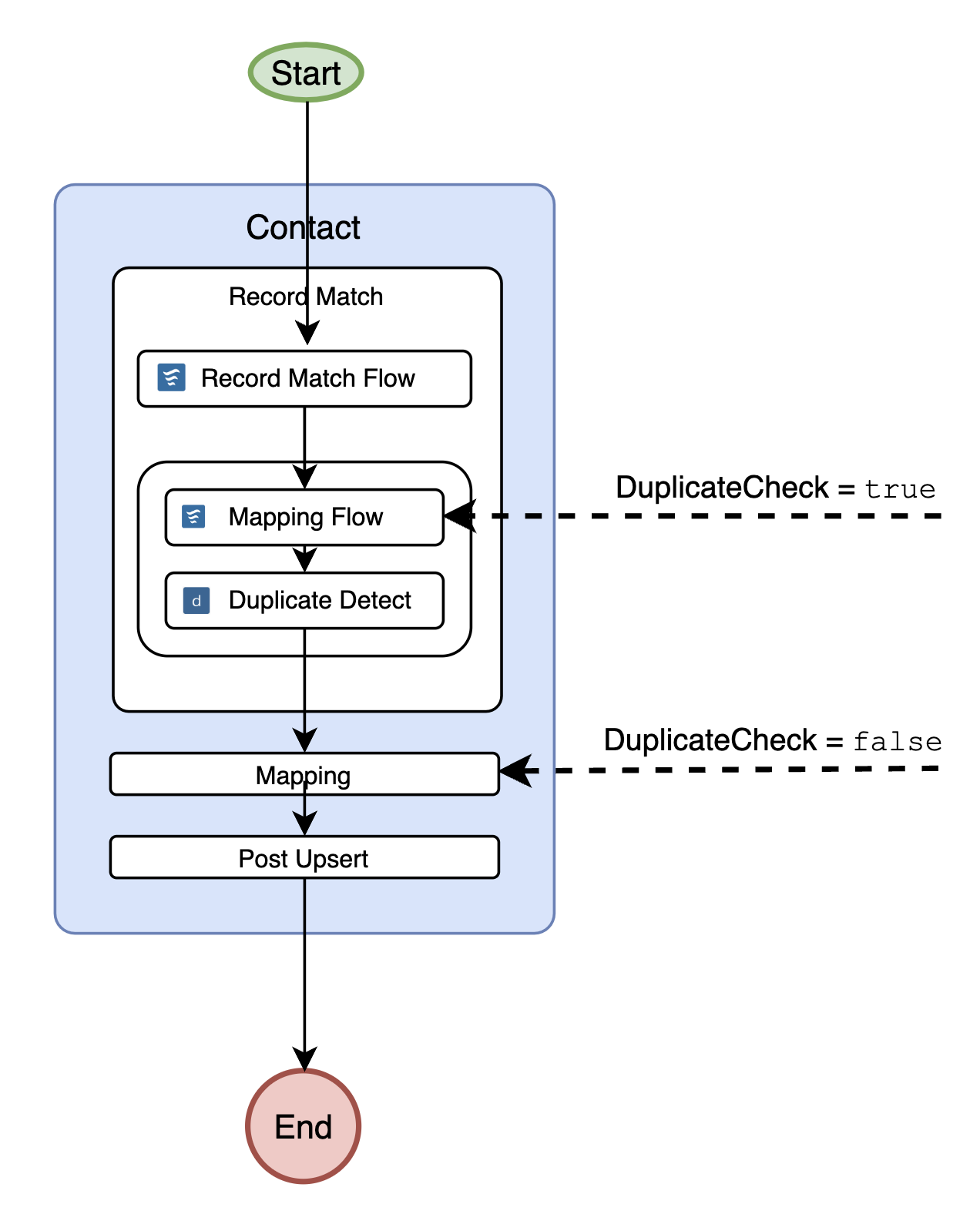
When the Record Match action executes for a Contact or Account, MoveData runs the Salesforce duplicate detection rules. To do this, MoveData creates an in-memory Salesforce record and populates it by running the mapping flows as part of the record match action.
The DuplicateCheck variable is set to true when the mapping flow is running in this duplicate detection context.
Why DuplicateCheck matters#
When the mapping flows run during duplicate detection, you may want to apply additional mapping rules that differ from your standard mapping logic. This is often because the rules for Salesforce duplicate detection are quite narrow, and you need to populate extra fields to increase the chance of finding a match.
Example: phone number matching#
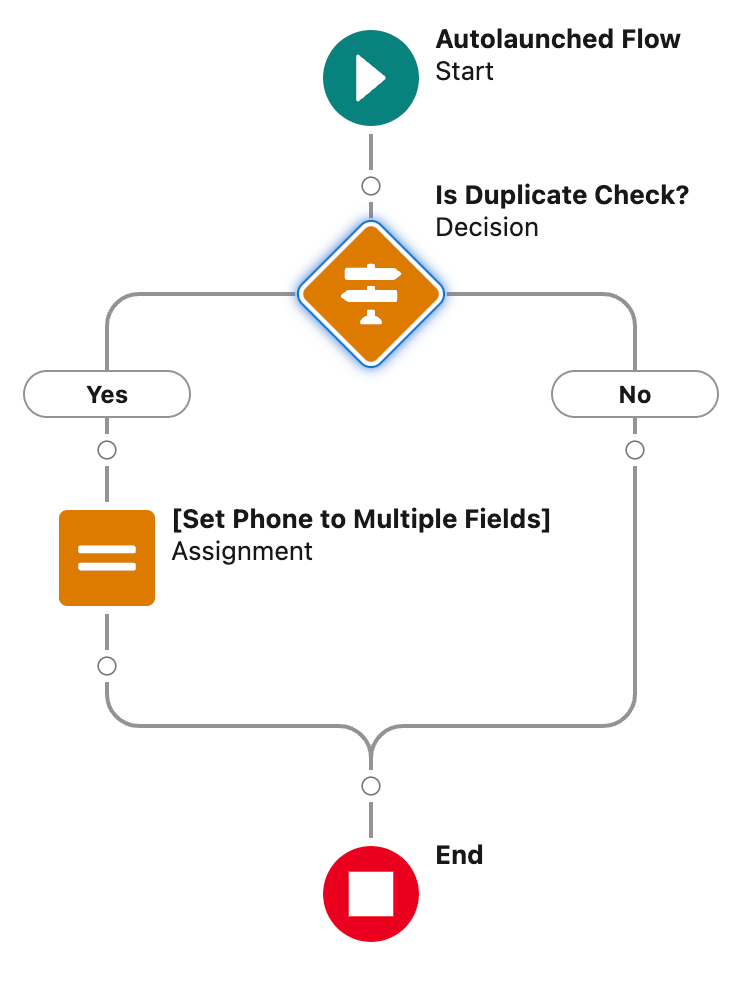
When performing Salesforce duplicate detection on a Contact, you may want to write a phone number to multiple phone fields (such as Phone and MobilePhone).
This ensures a duplicate match is found regardless of which field stores the phone number in existing records.
However, when persisting the record in Salesforce during the standard mapping action, the phone number should only be written to one of these fields.
If DuplicateCheck equals true:
    Set Phone = {!NotificationPhone}
    Set MobilePhone = {!NotificationPhone}
Otherwise:
    Set MobilePhone = {!NotificationPhone}
In-memory only
When DuplicateCheck is true, the record being populated is not saved to Salesforce.
It exists only in memory for the purpose of running duplicate detection rules.
Any values you set during this context are discarded after the duplicate check completes.
How to use DuplicateCheck in a flow#
- Open the relevant mapping flow in Salesforce Flow Builder.
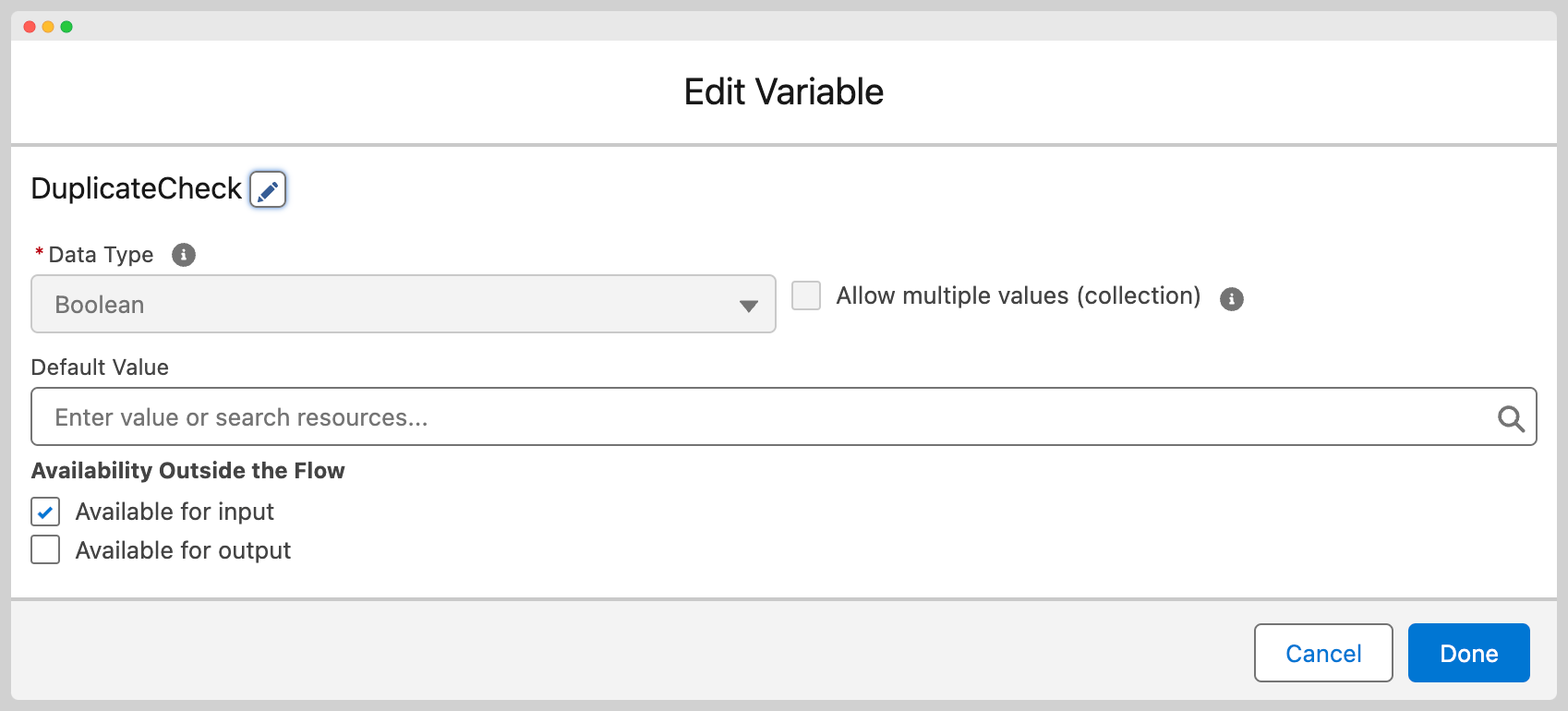
- Create a new input variable named
DuplicateCheckof type Boolean. - Enable the variable as Available for input.
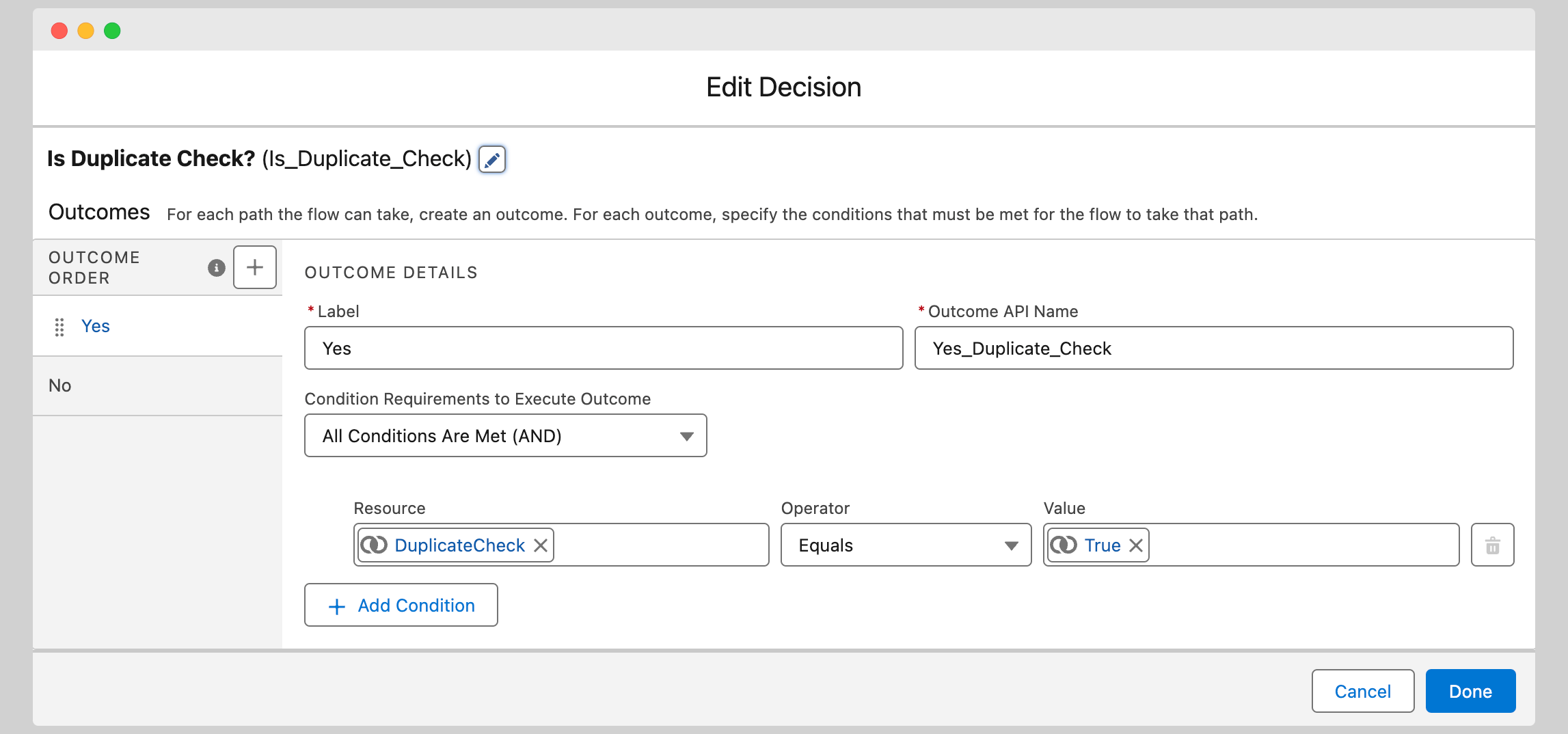
- Add a Decision element that checks whether
DuplicateCheckequals{!$GlobalConstant.True}. - In the
truebranch, add your duplicate-detection-specific mapping logic. - In the default branch, add your standard mapping logic.
For more information on how duplicate detection works with MoveData, see Advanced: Salesforce duplicate and matching rules.
IsActor#
| Diagram | Flow | Flow Detail |
|---|---|---|
 |
 |
  |
Many notification variables are contextual.
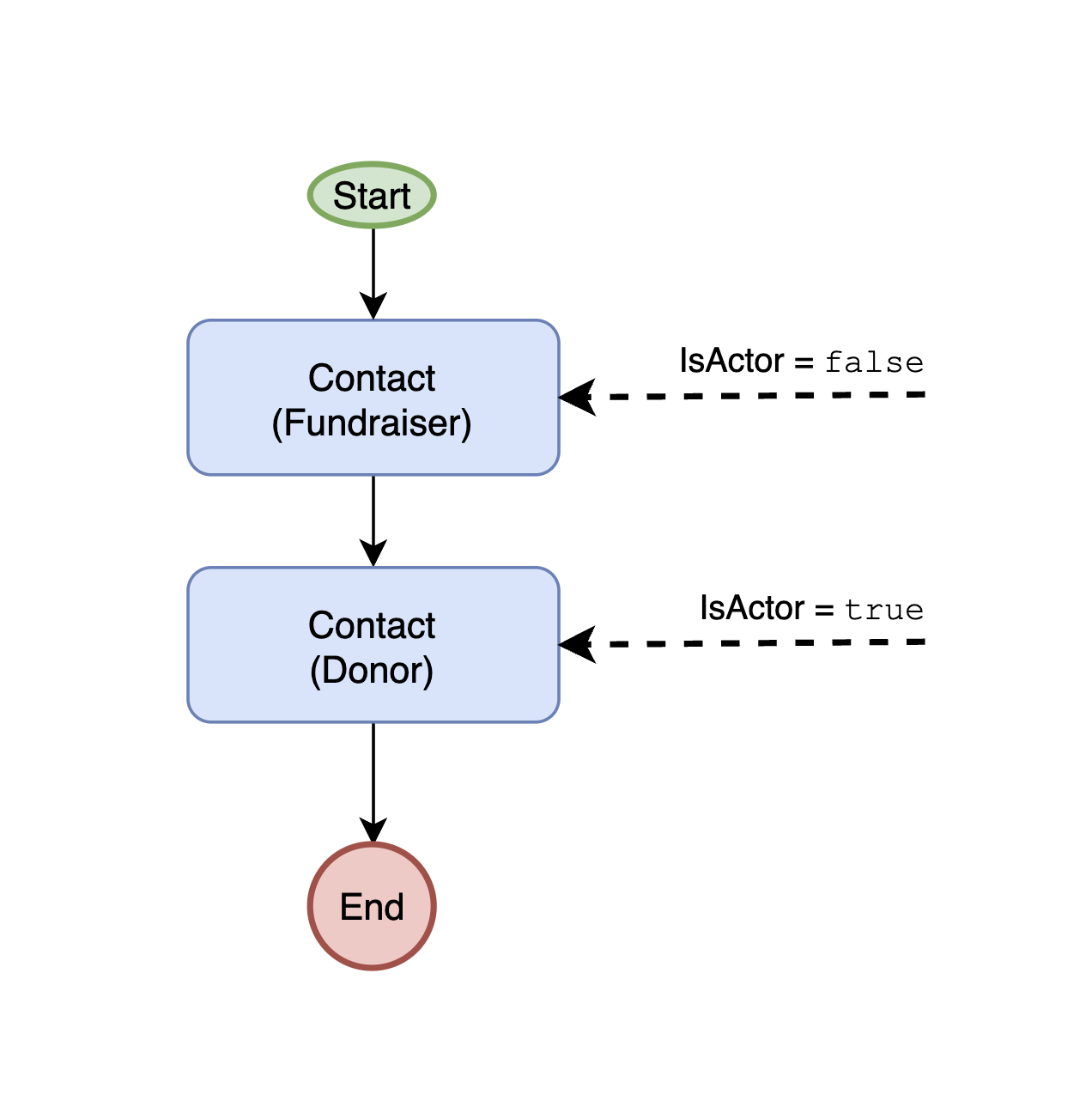
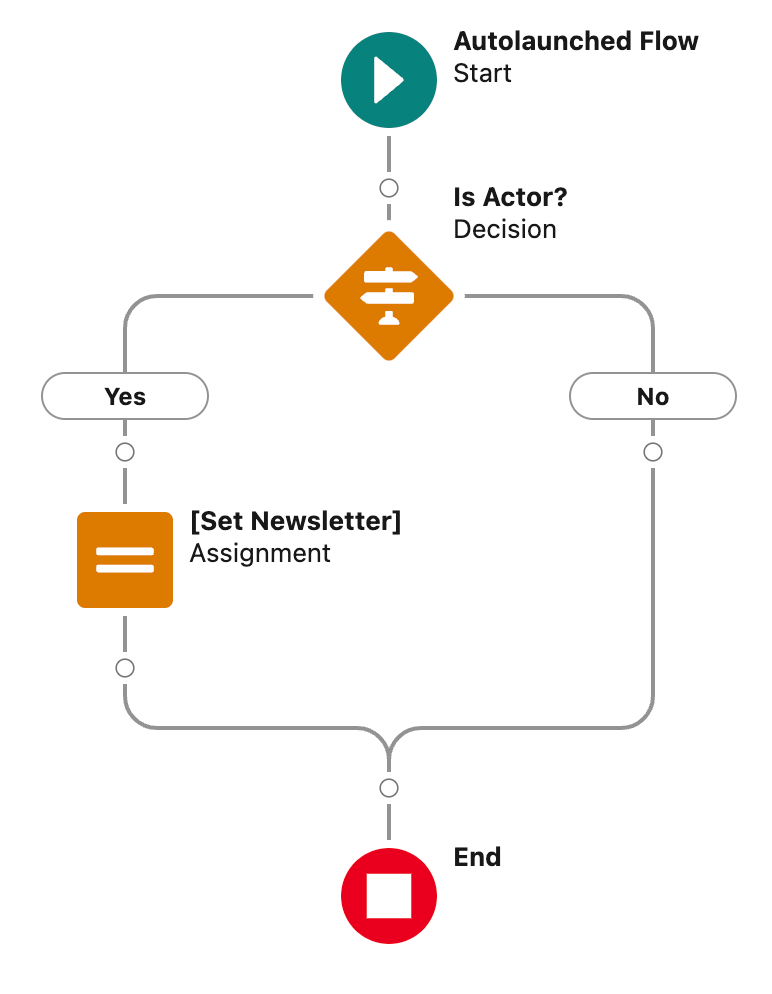
The IsActor variable tells your flow whether the person currently being processed is the primary contact — the person the notification centres around.
Why IsActor matters#
A single notification can contain multiple people. For example, a donation notification might include both a donor and a soft credit recipient, or a ticket purchase might include the purchaser and additional ticket holders.
Some notification data might only be relevant to the primary contact. For example, a newsletter opt-in might only be relevant to the donor, not to other individuals in the notification.
Example: newsletter opt-in#
When a donation is made, the newsletter opt-in might only be relevant to the donor (the actor). When a fundraiser registration is processed, the newsletter opt-in is relevant to the fundraiser's contact (the actor).
By checking IsActor, you can ensure that newsletter preferences are only applied to the correct person:
If IsActor equals true:
    Set Contact.HasOptedOutOfEmail = {!NotificationOptOut}
Otherwise:
    Do nothing (skip newsletter mapping)
How to use IsActor in a flow#
- Open the relevant flow in Salesforce Flow Builder.
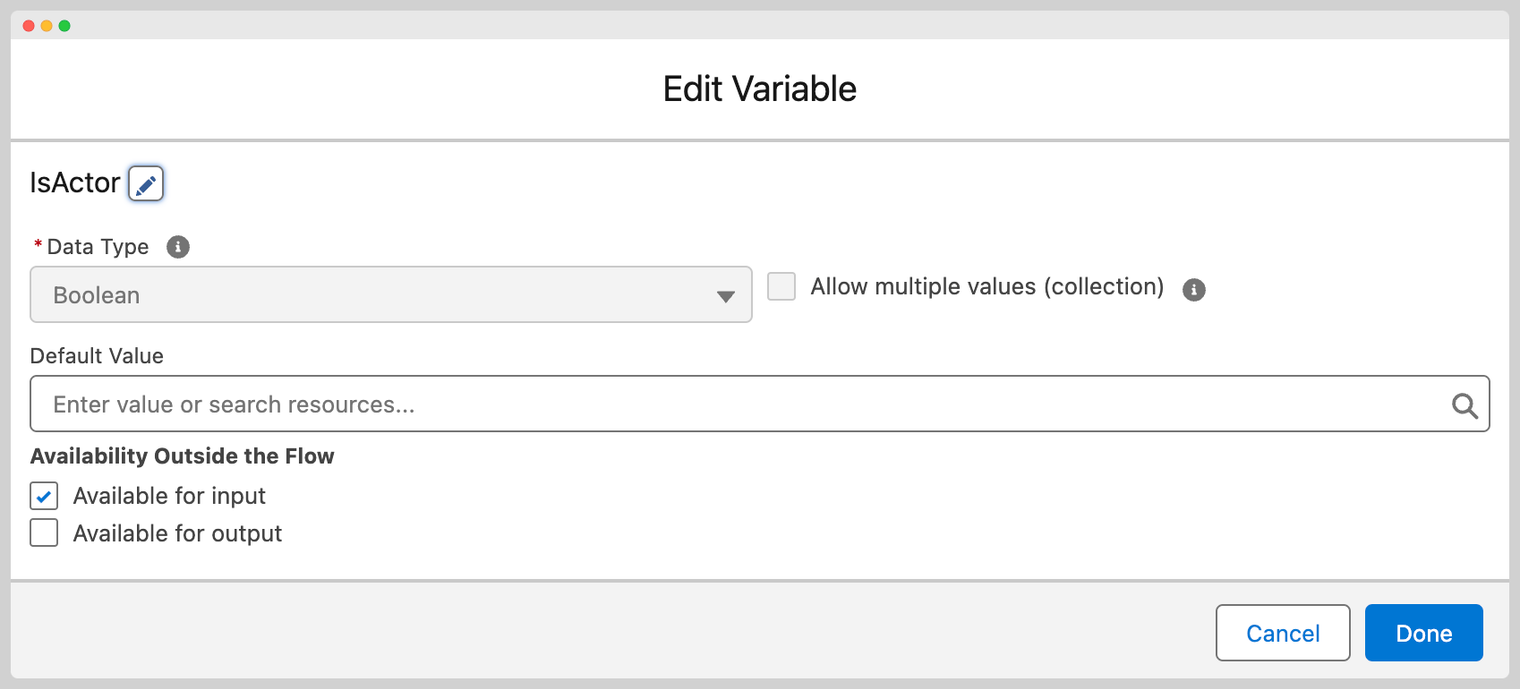
- Create a new input variable named
IsActorof type Boolean. - Enable the variable as Available for input.
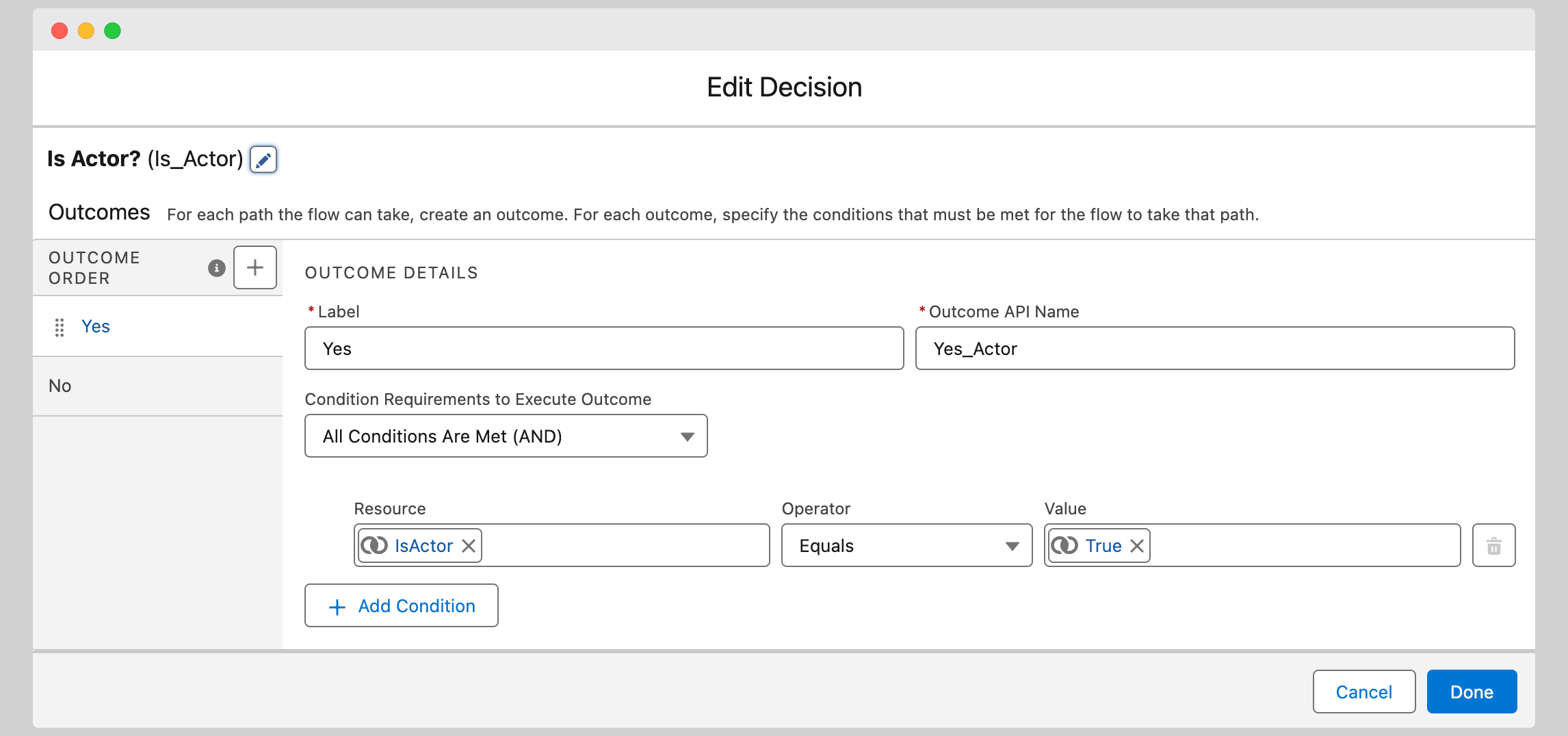
- Add a Decision element that checks whether
IsActorequals{!$GlobalConstant.True}. - In the
truebranch, add logic that should only apply to the primary contact. - In the default branch, add logic for secondary contacts or skip the action entirely.
Other resources#
- Flow command reference for commands that control flow execution behaviour.
- Duplicate rules for configuring duplicate detection in MoveData.