Funraisin additional ticket holders
When someone registers for a Funraisin event, they can purchase tickets for multiple people. This article explains how MoveData processes these multi-ticket registrations and what you can expect to see in Salesforce.
How it works#
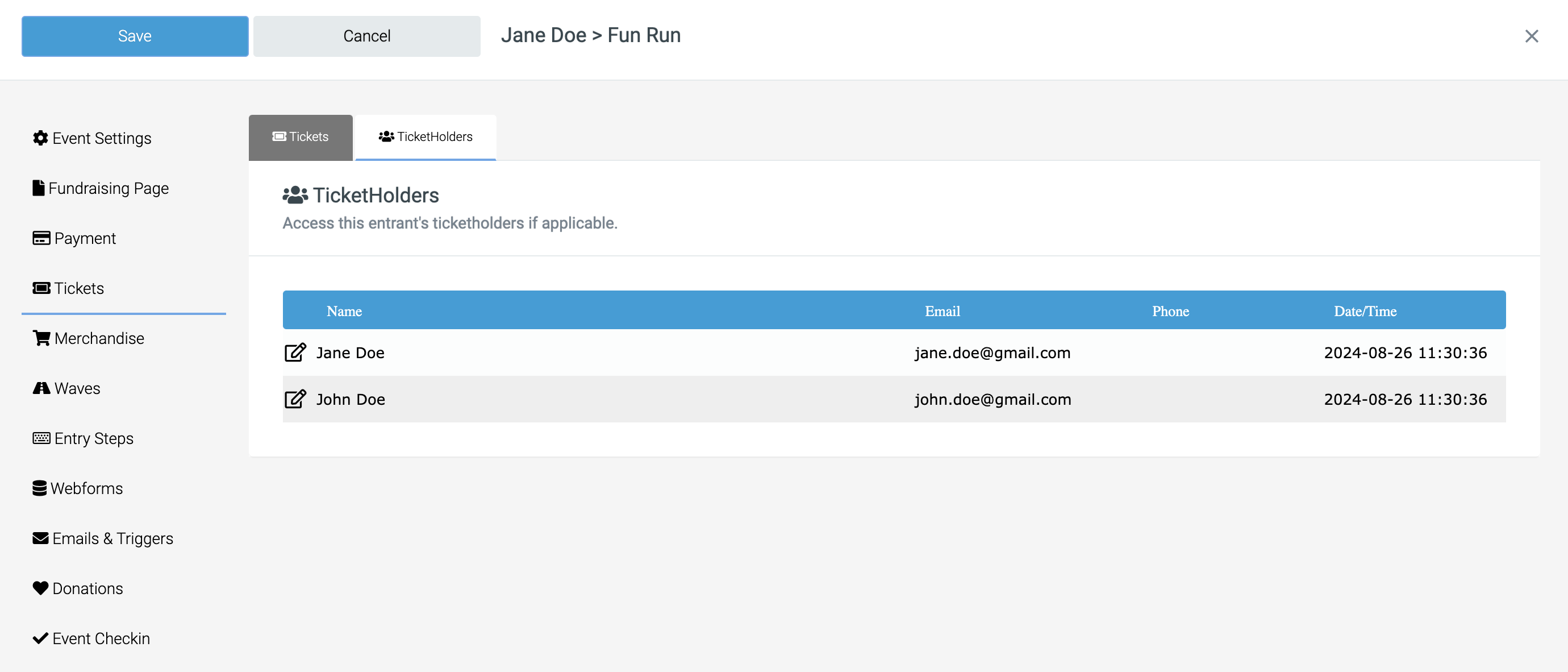
Funraisin supports event registrations with multiple ticket holders. For example, Jane Doe might purchase two tickets -- one for herself and one for John Doe.
However, the Funraisin API does not expose the details of additional ticket holders. MoveData receives information about the ticket purchase and the purchaser, but not the individual details of other people the tickets are for.
What appears in Salesforce#
Using the example above, where Jane Doe purchases two tickets (one for herself and one for John Doe):
| What you might expect | What MoveData creates |
|---|---|
| Two Contacts: Jane Doe and John Doe | One Contact: Jane Doe (the purchaser) |
| Two tickets attributed to different people | Two tickets attributed to Jane Doe |
The notification to MoveData contains the ticket quantity and the purchaser's details, but not the names or contact information of additional ticket holders.
Note
This is a limitation of the Funraisin API, not a MoveData configuration issue. MoveData processes all data that Funraisin makes available.
What this means for you#
- Contact records: Only the ticket purchaser is created or matched as a Contact (or Person Account) in Salesforce. Additional ticket holders do not appear as separate Contact records.
- Ticket quantity: The total number of tickets purchased is recorded against the purchaser, so your ticket count totals remain accurate.
- Reporting: If you need to track individual attendees, you will need to capture that information outside of the MoveData integration -- for example, through a manual process or a separate attendee management workflow in Salesforce.
Workarounds#
If tracking individual ticket holders in Salesforce is important to your organisation, consider these approaches:
- Export from Funraisin: Download a registration report from Funraisin that includes all ticket holder names, and manually update Salesforce records.